
Most small businesses meet automation through marketing first: drip campaigns, lead scoring, and follow-ups. Useful, sure. But it’s also the shallow end of the pool.
The bigger payoff shows up when you automate the operational grind that quietly eats your margins: repetitive questions, internal handoffs, ticketing, scheduling, status updates, data entry, and the endless “Hey, just checking in…” loop.
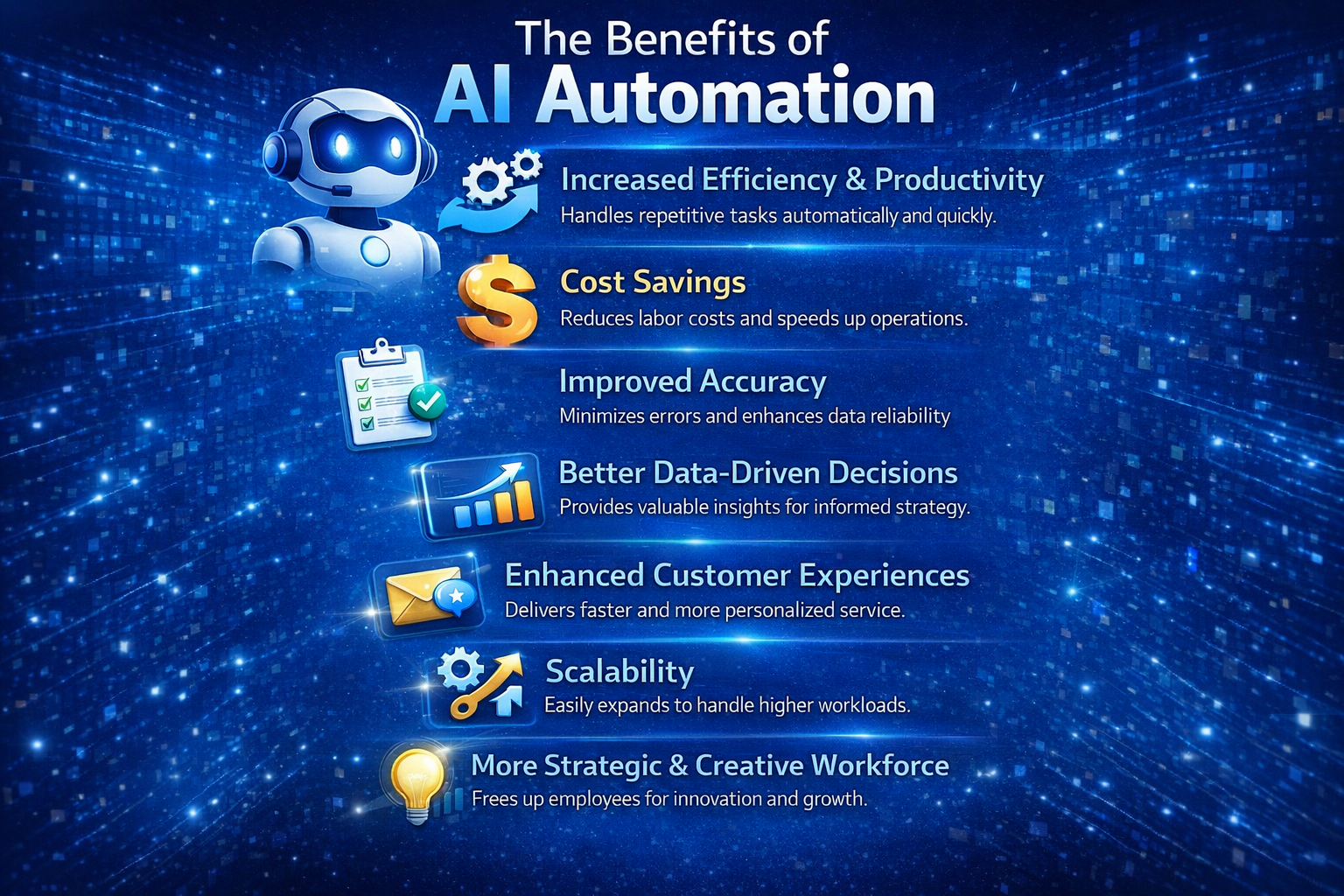
Done right, AI automation doesn’t add complexity—it removes friction. It handles the repetitive tasks that slow teams down, improves accuracy by reducing manual data handling, and creates the kind of consistent customer experience most small businesses only achieve on their best days. Deloitte’s research on intelligent automation highlights these exact outcomes—productivity, cost reduction, improved accuracy, and better customer experience—as core benefits organizations pursue. (Deloitte)
Below are practical, deliverable examples that pair naturally with BetterBiz CRM + AI Agents—including a real case study of ticket system automation that shows what “automation around people, not software” looks like in the real world.
The Core Value of AI Automation (In Plain English)
Small businesses don’t need “AI.” They need:
- Efficiency and productivity: repetitive work gets done automatically, faster, and without getting “busy.” (Deloitte)
- Cost savings and speed: less manual handling means fewer labor hours tied up in low-value tasks.
- Improved accuracy and fewer errors: fewer copy/paste moments, fewer missed steps. (Deloitte)
- Better decisions: once activity is logged in a CRM, you can measure it—and manage it.
- Better customer experiences: faster, more consistent responses, plus personalization from stored context.
- Scalability: you can grow volume without instantly growing headcount.
- More strategic human work: teams spend more time solving problems and less time moving information around.
McKinsey has pointed out that automation (including gen AI alongside other technologies) can materially lift productivity growth over time—because a lot of work is, bluntly, automatable. (McKinsey & Company)
How BetterBiz Automation Works (The “Operating System” Pattern)
In BetterBiz terms, most operational automations follow a simple pattern:
- Capture (voice, chat, SMS, web form, email)
- Classify (what is this? urgency? category? who owns it?)
- Create/Update a record (ticket, task, contact, deal, work order, case)
- Route + Notify (assign to the right person/team; send SMS/email alerts)
- Confirm (customer + internal confirmation; expectations set)
- Close the loop (resolution logged; next steps triggered)
- Learn (reporting + trend insights; knowledge base improves over time)
That’s the difference between “a bot that answers questions” and automation that actually runs part of the business.
Housing Authority Case Study: Ticket System Automation That Doesn’t Force Techs Into Portals
One of the cleanest examples of operational automation comes from a Housing Authority workflow—because the constraints are real and unforgiving:
- Residents need fast answers
- Staff and maintenance teams don’t want (or can’t) update tickets online or live in dashboards
So the solution was voice-first and computer-optional.
What they automated (end-to-end)
- Residents call a single number to report maintenance issues; an AI voice assistant captures details and opens a work order.
- Maintenance staff get immediate text/email notifications—no portals required.
- Techs self-assign tickets (accountability without a manager playing dispatcher).
- After the job, the technician calls a second AI assistant to close the ticket by voice, referencing the work order number verbally.
- The system updates the system-of-record (PHA-Web) as closed and fully documented—without the technician touching a computer.
- Everyone gets confirmation (resident, maintenance staff, Executive Director), closing the communication loop automatically.
The same approach was applied to Section 8 inbound calls: a knowledge-based assistant answers common questions consistently, escalates when needed, and—because it’s integrated with the CRM—keeps historical interaction context so responses improve over time.
Why it matters: This is automation that respects how humans actually work. It reduces delays and follow-ups while improving responsiveness and accountability.
How this maps to BetterBiz CRM + AI Agents:
This is the exact “capture → ticket → notify → close → confirm” loop BetterBiz can replicate for small businesses—minus the government acronyms.
7 Operational Automations Small Businesses Can Deploy (Without Pretending They’re a Fortune 500)
1) Service Tickets for Field Teams (HVAC, plumbing, cleaning, IT support)
Problem: calls come in; details are incomplete; techs miss updates; the office plays phone tag.
Automation flow:
- AI Agent answers inbound calls after hours (or during peak), collects issue details, address, and preferred time.
- Creates a ticket/task in BetterBiz CRM.
- Sends SMS/email to the on-call tech and the customer with a confirmation + expectations.
- Tech updates status by voice or SMS (“en route,” “completed”).
- Customer receives completion confirmation + review request.
Benefit: faster response times and fewer missed jobs—plus every job becomes trackable data.
2) Appointment Scheduling + No-Show Reduction (clinics, salons, consultants)
Problem: Staff spend hours scheduling and rescheduling; no-shows silently crush revenue.
Automation flow:
- AI Agent handles inbound scheduling requests (phone/web chat).
- Books based on rules (hours, service type, buffer times).
- Sends confirmations, reminders, and “reply to reschedule” messages.
- If someone cancels, trigger a waitlist workflow.
Benefit: higher utilization and fewer awkward calls. Also: fewer scheduling errors.
3) Invoicing Follow-Ups + Collections (B2B services, agencies, contractors)
Problem: chasing invoices is time-consuming and inconsistent (and it always happens when you’re busy).
Automation flow:
- BetterBiz CRM tracks invoice due dates (or syncs from your accounting workflow).
- AI Agent sends polite, timed nudges (“Just a reminder—invoice #1042 is due Friday”).
- If no response, escalates to a human with full context and suggested next step.
- Logs every touch automatically.
Benefit: improved cash flow without turning your team into reluctant debt collectors.
4) Customer Support Triage (ecommerce, SaaS, local services)
Problem: “Where’s my order?” and “How do I reset my password?” bury your team.
Automation flow:
- AI Agent answers top FAQs with consistent language.
- Creates tickets only when needed and routes to the right person.
- Captures order number/account email upfront so humans don’t waste the first interaction gathering basics.
Benefit: faster resolution and better customer experience—one of the most cited reasons organizations adopt intelligent automation. (Deloitte)
5) HR Ops: Onboarding, FAQs, and Policy Q&A (small teams without HR staff)
Problem: onboarding is repetitive; policies live in someone’s head; managers get interrupted.
Automation flow:
- AI Agent provides onboarding checklists and answers common questions (“How do I submit time off?”).
- Triggers tasks: send paperwork links, schedule training, assign equipment checklist.
- Logs completion status in CRM tasks.
Benefit: smoother onboarding and fewer dropped steps—plus “institutional knowledge” stops being a single person’s inbox (a major theme in the Housing Authority example).
6) Internal Help Desk for Operations (inventory, purchasing, facilities)
Problem: internal requests arrive randomly; nothing is tracked; accountability is fuzzy.
Automation flow:
- Staff submits requests via chat/SMS/voice.
- AI Agent categorizes (“inventory,” “IT,” “facilities”) and creates a ticket.
- Auto-notifies the owner and confirms request receipt.
Benefit: less chaos, faster operations, and clearer ownership.
7) Compliance + Documentation Workflows (regulated industries, healthcare-adjacent, finance)
Problem: documentation is required, but humans forget. Audits don’t.
Automation flow:
- AI Agent prompts staff for required fields at the point of interaction.
- CRM enforces “no close without documentation” rules.
- Weekly summaries highlight gaps and trends.
Benefit: fewer compliance misses, and leadership gets visibility without micromanaging—another explicit outcome in the case study.
The Quiet Superpower: Data You Can Actually Use
Automation is nice. Instrumented automation is a cheat code.
When your calls, tickets, and outcomes live in a CRM, you can answer questions like:
- What issues drive the most tickets?
- Which customers generate the most support load?
- Where do handoffs break?
- What’s our actual response time by channel?
- Which processes are slowing down growth?
That’s how you move from “busy” to “managed.”
Gartner frames hyperautomation as a disciplined approach to identify and automate as many processes as possible—emphasis on disciplined. The win isn’t random bots; it’s end-to-end workflows you can measure and improve. (Gartner)
A Quick Reality Check: Automation Should Feel Boring (That’s the Point)
If your automation requires your team to adopt five new tools, log into three dashboards, and “remember to update the system,” you didn’t automate—you just redistributed the pain.
The Housing Authority example nails the standard: voice-first workflows, automatic updates, and closed-loop notifications so nobody has to chase status.
That’s the kind of operational automation small businesses can actually sustain.
Want to Apply This in Your Business?
If you’re ready to automate beyond marketing—tickets, scheduling, customer support, internal workflows, and voice-first operations—BetterBiz CRM + AI Agents can be configured around how your business already runs (not how a software vendor wishes you ran it).
Visit betterbizgroup.com or email info@betterbizgroup.com to explore AI automation options for your operation.